Angular Without Zone.js: What Actually Changes?
Over the years, Angular utilizing Zone.js has become a key consideration for many enterprise teams. This has been a great enabler for many projects, as Zone.js abstracts change detection in the background, and therefore most developers will not even notice it. However, with Angular evolving to utilize signals, RxJS, and a focus on performance, more teams have been asking themselves, “Do we still need Zone.js?” This has come to the forefront this year with Angular allowing applications to run without Zone.js. This has a big impact on how your application detects, reacts and renders changes. Many enterprise teams have found this very empowering but also quite intricate. Let’s understand what actually changes when you remove Zone.js from Angular and how this affects debugging, performance, migration issues, and state management.
Key Takeaways
- Removing Zone.js in Angular gives developers control over change detection, which means more work but also more chances to make the app faster.
- Migration can expose hidden issues with UI updates and also highlight any unintentional reliance on change detection.
- Signals, the
AsyncPipe, RxJS, andmarkForCheck()onChangeDetectorRefcan all play important roles in notifying Angular about state changes and ensuring the UI updates when needed. - Enterprise application teams will need to ensure third-party libraries are compatible.
- Performance will improve, however, only if processes are changed. Large and interactive applications will benefit.
- Additional cognitive load is added due to having to manually manage UI updates.
- Compliance, QA, and executives will want to focus on ensuring good testing processes are in place.
What does Zone.js do, and how did teams get reliant on it?
Zone.js emerged as a behind-the-scenes workhorse in Angular. It utilizes monkey patching to listen to changes in JavaScript functions (setTimeout, XHR, events, etc.). This means Angular will detect changes and update the UI. Most teams found this was a great addition—changes to data could be made anywhere, and Angular would detect them. Business logic was kept simple.
But with that magic came drawbacks. Zone.js sometimes triggers more updates than needed, making large or animation-heavy UIs sluggish. It can also hide subtle UI bugs. Teams grew used to “things just working”—until delayed async code or overlooked edge cases broke that contract. Over time, reliance on implicit updates spread through codebases, sometimes turning simple bugs into weekend-long troubleshooting marathons.
What “Zoneless” Angular Means—and How Modern Change Detection Adapts
Angular now lets you opt out of Zone.js entirely. No zone-patching means no more global listeners for background tasks. Change detection will only run if you tell it to, or if you use mechanisms like Angular Signals, event bindings in templates (such as (click)), or explicit RxJS subscriptions that inform the framework.
What does this mean in practice? When data changes—say, from a WebSocket, setTimeout call, or custom event—Angular will ignore it unless explicitly notified. This hands control to developers but also requires vigilance. The pattern shifts from “trusting the runtime” to “orchestrating updates yourself.” In real projects, UI flickers, missing updates, or mysterious staleness can surface when teams miss these signals.
The shift also makes performance profiling more transparent. With fewer unnecessary updates, teams have an easier time tracing when and why the UI redraws.
Explore tailored Product Development Solutions for complex Angular builds.
Migration Realities: Where Friction Surfaces First
The process starts easily enough—removing Zone.js and switching the change detection configuration. But in practice, the real work begins during the first full test cycle. Teams report the following migration realities repeatedly:
- Hidden dependencies surface: Legacy code, third-party libraries, or ad-hoc integration points unexpectedly depend on automatic UI refreshes. For example, authentication pop-ups or analytics overlays may not reflect state changes.
- Third-party library friction: Some libraries, especially those blending Angular with custom components or older RxJS patterns, assume change detection “just happens.” Manual patches, or even replacements, may be needed.
- Manual change detection everywhere:
markForCheck()andChangeDetectorRef.inject()appear throughout component code, often exposing developer unfamiliarity with Angular’s under-the-hood mechanics. - Development workflow slows temporarily: The lack of automatic updates means more time in the browser and DevTools, experimenting and investigating missing redraws.
A recent migration in a US-based financial firm revealed a subtle chain reaction: their dashboard’s websocket-based notifications initially stopped updating on client events. Investigation showed the codebase had never manually invoked change detection after socket events; everything had always trickled through Zone.js. It took several days and collaboration with both QA and backend teams to close these update gaps.
For teams planning similar migrations, robust application management strategies help to track, document, and automate regression testing on newly manually-managed UI flows.
Manual Updates: ChangeDetectorRef, Signals, RxJS, and Their New Roles
With Zone.js gone, your toolkit for announcing state changes to Angular must expand:
- Signals: Angular’s
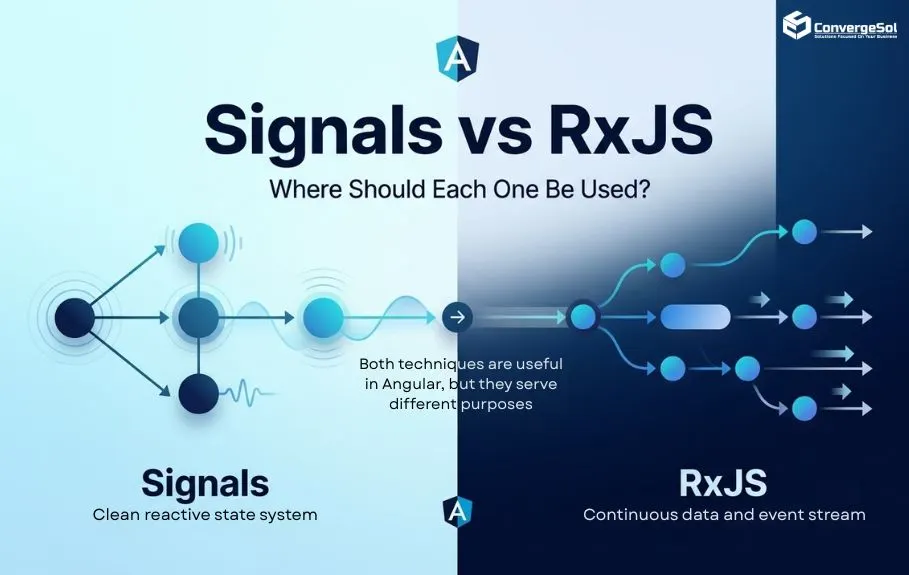
signal(),computed(), andeffect()constructs act as explicit “notifiers.” When a signal changes, Angular knows to re-render affected views. Experienced teams cite Signals as a relief, restoring some of the “automatic” feel but with clearer intent. Learn more about signals and their practical use from this deep-dive on Signals vs. RxJS. - RxJS and AsyncPipe: When a component’s template binds to an Observable with the
AsyncPipe, Angular recognizes it as a legit trigger for updates. However, subscriptions outside the template no longer suffice—developers must ensure theAsyncPipeis used or invoke ChangeDetectorRef when needed. ChangeDetectorRef.markForCheck(): For more granular or ad-hoc updates, invokingmarkForCheck()lets Angular know a change occurred. Teams quickly learn which components are “partners” for this pattern—often, those integrating with non-Angular services or legacy APIs use it most heavily.
This “toolkit shift” takes some learning. Enterprise teams often debate when to wrap business logic in signals and when to rely on RxJS. Documentation can trail behind implementation, creating risk during developer turnover or rapid iteration.
Performance Measurements: The Payoff (and New Pitfalls)
Most organizations migrating to zoneless Angular are after performance improvements, especially in applications where user interactivity or DOM size bottlenecked under Zone.js’s indiscriminate detection. For complex, data-intensive web platforms—such as building scalable Project, Time & Invoice Management SaaS Solutions—optimizing frontend rendering performance and removing unnecessary runtime overhead is critical to maintaining a snappy user experience. Using Angular DevTools and browser profiling, teams consistently report:
- Lower “time to interactive” on initial render of complex views
- Noticeably snappier form response on mobile or low-powered devices
- Reduced CPU usage during rapid table/grid updates
Yet, the gains are not automatic. One healthcare team observed that after moving some modules to zoneless mode, a new category of bugs—updates silently failing to propagate—emerged, especially under heavy user input. The root cause? Missed manual change detection after external API callbacks. Unintended staleness, while rare, is also much harder to auto-detect in tests.
This step underscores a new reality: performance and reliability move hand-in-hand. Wins on one front expose potential losses on the other. Routine performance audits, using built-in browser and Angular tools, become part of the release checklist rather than an occasional event.
Testing and Debugging in a Zoneless World: Lessons Learned
Testing changes fundamentally—and not always in predictable ways. Unit tests become less likely to pass by accident, a net positive, but integration and end-to-end tests may surface newly brittle paths:
- Unit tests stop passing by accident: While this is generally a healthy net-positive, integration and end-to-end tests will quickly expose brittle navigation and state paths.
- Debugging requires a new mindset: When a button fails to show a disabled state after a promise resolves, your old intuition—“Angular will pick this up eventually”—no longer applies. Teams have to build new habits, like adding explicit change detection logging or wrapping debugging with signals to trace update flows.
- Legacy tests need rewriting: Tests that once simulated user actions and passively waited for state to settle now require explicit update management.
It’s completely normal for engineering confidence to dip slightly during the early weeks of a migration as QA and development catch up with new testing scripts.
Compatibility and Organizational Challenges: More Than Just Code
Beyond the technical, zoneless Angular reveals surprising organizational storytelling. Stakeholder reviews become longer. Compliance and risk managers ask for more rigorous manual test documentation. Executive sponsors, seeing a new performance profile, may ask for larger-scope efforts—“Can we go zoneless everywhere?”—without realizing the tradeoffs involved.
A pattern from fintech and healthcare organizations: the decision to go zoneless is rarely purely technical. Teams hold budget meetings about expected resource savings versus refactoring risk. Governance boards review supplier dependencies, noting which external widgets or analytics libraries broke in early migration tests.
Maintainers also highlight the training and onboarding challenge: New hires or cross-team contributors must understand that “Angular will not update UI for you by default.” This often necessitates new developer documentation, examples, and pair programming sessions.
Best Practices and Patterns Observed in Mature Zoneless Teams
Decisions don’t always converge; successful teams adapt as they go. Common themes from observation:
- Start with contained modules: Teams moving to zoneless Angular begin with feature branches or isolated modules where change detection flow is easily mapped.
- Create a production checklist: Mature teams harden a checklist covering event-source audit, manual change detection patterns, third-party compatibility, and robust performance baselining.
- Document manual update triggers: Codebases surviving multiple handoffs include README notes or in-line comments marking where manual
markForCheck()calls are essential for UX. - Embrace signals and the AsyncPipe: Over time, the bulk of change detection routes through Angular’s Signals or RxJS-AsyncPipe combos, reducing need for catch-all manual triggers.
- Use integration gates and continuous review: Governance reviews and integration testing gates catch “silent update” regressions before production.
One US SaaS provider reported that on their second zoneless project, onboarding time and bug rates shrunk dramatically—crediting the internal documentation, post-mortem notes, and recurring training sessions introduced after stumbling through their first migration.
Hire developers with proven expertise in advanced Angular state management.
Frequently Asked Questions
What problems does Zone.js solve in traditional Angular apps?
Zone.js automates change detection. Whenever you update data, trigger async work, or finish an event, Zone.js ensures Angular checks for changes and refreshes relevant parts of the UI. This “set-and-forget” approach means teams rarely miss updates but can result in inefficient, blanket re-rendering.
How do you trigger UI updates without Zone.js?
You must notify Angular explicitly using tools like Signals (signal(), effect(), computed()), using the AsyncPipe with RxJS, or directly calling ChangeDetectorRef.markForCheck(). Native event bindings in templates (such as (click)) also signal Angular to check for updates.
Are there libraries that don’t work with zoneless Angular?
Yes, some third-party libraries—especially UI components and analytics tools—assume automatic change detection via Zone.js. During migration or integration, you may need to wrap library callbacks with your manual update logic, or seek upgrades that support zoneless operation.
How does change detection differ with Signals in zoneless mode?
Signals inform Angular exactly when to check specific components for changes. Unlike Zone.js, which checks “everything” after almost every async event, signals target updates narrowly where data has changed. This precision enhances performance and predictability, especially in large, dynamic applications.
What new challenges do engineering teams face after going zoneless?
Teams face sharper cognitive demands: missing a manual update leaves the UI stale, user bugs are subtler, and onboarding or code review must cover new responsibilities. Automated tests may fail in new ways, demanding carefully curated test suites. Documentation, pairing, and upskilling become ongoing needs.
Conclusion
Shifting to Angular without Zone.js is less a technical toggle and more a cultural reset for development teams. In the short run, it exposes dependencies, both in code and process, that accumulated silently during years of “automatic” UI management. Performance often sees real, measurable improvements—especially in complex SaaS and fintech applications where every millisecond counts. These performance considerations are particularly relevant for technology and SaaS businesses building and maintaining complex applications that need to scale while delivering a reliable user experience. But the hidden costs are equally real: new manual testing routines, documentation work, integration retesting, and a need for sharper organizational memory. Stakeholders ranging from budget managers to QA leads find themselves part of the conversation. Over time, teams that embrace the explicitness of zoneless Angular tend to gain stronger confidence, clearer state management, and applications that behave more predictably under load.
If your team is exploring a move to zoneless Angular—or just wants to talk through the architecture with someone who’s been through the trenches—we're always happy to connect. As a US-based company, we're available for a quick 15-minute chat to compare notes on complexity and compliance, or you can meet our team to see how our developers can support your roadmap.
Write your comment
Recent Blogs