Building HIPAA-Compliant Healthcare Applications: Cloud Architecture, Security and Data Protection
The time I sat in a healthcare IT steering committee meeting about a new cloud-based patient portal, the tension felt thick enough to slice with a badge lanyard. The CTO wanted delivery. The compliance officer had a checklist along with a hospital corridor. The product owner asked, "Can we use AI for forms?" The cloud architect quietly muttered something about endpoints and audit trails. Everyone agreed on one thing: if we mishandled data, the consequences would be severe—legally, financially, and reputationally.
That is the reality of building HIPAA-compliant healthcare applications. The hard part is rarely the technology itself. It is the friction between speed and safety, innovation and regulation, and the constant negotiation between what's possible and what's permitted. Over the years I have watched healthcare teams wrestle with cloud architecture, encryption, access controls, and the ever-present anxiety of a breach. This article is not a checklist or a sales pitch. This article is a set of field notes—what actually happens when organizations try to design, develop, and deploy compliant healthcare software in the cloud.
Key Takeaways
- HIPAA compliance is a continuous process, not a one-time milestone—expect ongoing risk reviews and documentation.
- Cloud providers offer HIPAA-eligible services, but responsibility for secure configuration and PHI handling remains with your team.
- Encryption, access controls, and audit trails are non-negotiable for protecting PHI in transit and at rest.
- Integrating AI or analytics with PHI requires careful review of data flows, logging, and third-party agreements.
- Application logs, error messages, and backups can accidentally expose PHI if not carefully managed.
- Stakeholder alignment—especially between compliance, engineering, and product—is often the biggest challenge.
- Production deployment checklists and regular penetration testing catch the issues that slip through design reviews.
What HIPAA Means for Healthcare Application Teams
Most teams begin with an idea that HIPAA is about “keeping patient data safe.” In reality, HIPAA is a set of rules that define how Protected Health Information (PHI) is handled, stored, transmitted, and disclosed. The Privacy Rule, Security Rule, and Breach Notification Rule each bring their own requirements. The moment your application touches ePHI—names, medical records, billing info—you’re on the hook.
What usually breaks first is not the code, but the shared understanding of what counts as PHI. I’ve seen teams log patient IDs in debug logs, send appointment reminders via unsecured email, or forget that analytics platforms might store sensitive data. The healthcare industry is littered with cautionary tales of well-intentioned apps that stumbled on these details.
HIPAA compliance isn’t just about technical controls. It’s about policies, training, and—crucially—documentation. If you can’t show your work during an audit, it’s as if you never did it.
Cloud Architecture for HIPAA-Regulated Workloads
The promise of the cloud is flexibility and scale. The reality for healthcare teams is that not every cloud service is HIPAA-eligible. AWS, Azure, and Google Cloud each maintain lists of services covered by their Business Associate Agreements (BAAs). If you use a service outside that list, you’re on your own for compliance.
A typical HIPAA-compliant architecture starts with network isolation—private VPCs, subnets, and firewalls. Teams often discover that enabling public endpoints, even for convenience, opens up audit headaches. Private endpoints and VPNs are the norm. Cloud-native databases (like AWS RDS or Azure SQL) must have encryption at rest enabled, and backups need the same protection.
One practical challenge: configuring secure connectivity between cloud services and on-premises systems. Healthcare organizations rarely live entirely in the cloud. Hybrid architectures introduce complexity—especially when legacy EHRs or billing systems are involved. Teams spend weeks mapping data flows, setting up secure tunnels, and negotiating firewall rules with IT security.
For a detailed look at cloud architecture patterns, the Microsoft Azure HIPAA reference architecture is a useful resource.
For those modernizing legacy compliance workflows, this case study on compliance and filing management modernization offers a glimpse into the practical tradeoffs and integration challenges.
Cloud providers offer the building blocks, but the shared responsibility model means your team is accountable for secure configuration, access controls, and PHI handling. That’s where most compliance gaps emerge.
Data Protection: Encryption, Access, and Audit Trails
Encryption is a requirement. But it’s not just about checking a box. Teams must ensure encryption in transit (TLS 1.2+), at rest (AES-256 or equivalent), and for all backups and snapshots. What usually goes wrong? Someone forgets to encrypt a storage bucket, or a developer disables SSL for local testing and it slips into production.
Access controls are another long-standing issue. Role-Based Access Control (RBAC), least-privilege principles, and Multi-Factor Authentication (MFA) are required. But in practice, privilege creep happens—especially in fast-moving projects. Temporary admin accounts become permanent. Service accounts are over-provisioned. The hard part is not setting up RBAC, but maintaining it as teams change and new features launch.
Audit trails are often an afterthought. HIPAA expects detailed logging of access to PHI—who viewed what, when, and from where. But logging itself can become a risk if PHI is written to logs. I’ve seen teams scramble to redact sensitive data from application logs after an internal review flagged the issue.
For more on secure data management, see Data Solutions for healthcare.
Secure Application Development and Testing
The technical controls are only as strong as the code behind them. Secure development practices—input validation, output encoding, and regular dependency updates—are essential. But the most common vulnerabilities I see are not zero-days; they’re misconfigurations, hardcoded credentials, or forgotten debug endpoints.
Penetration testing and vulnerability scanning are not optional. Teams that skip these steps often discover issues only after a compliance review—or worse, a breach. Production deployment checklists, code reviews, and automated security testing catch the mistakes that slip through design.
When integrating with third-party APIs, EHR/EMR systems, or analytics platforms, Business Associate Agreements (BAAs) are required. But the real risk is in the data flows: does PHI ever leave your controlled environment? Are third-party vendors truly HIPAA-compliant, or just “HIPAA-ready”? These are the questions that keep compliance officers up at night.
For an example of secure product development in practice, see Product Development Solutions for healthcare.
AI, Analytics, and HIPAA: New Risks and Old Lessons
The push to integrate AI and analytics into healthcare apps is relentless. But feeding PHI into AI models, analytics engines, or even error monitoring tools introduces new risks. Teams often underestimate how easily PHI can leak into logs, training data, or third-party services.
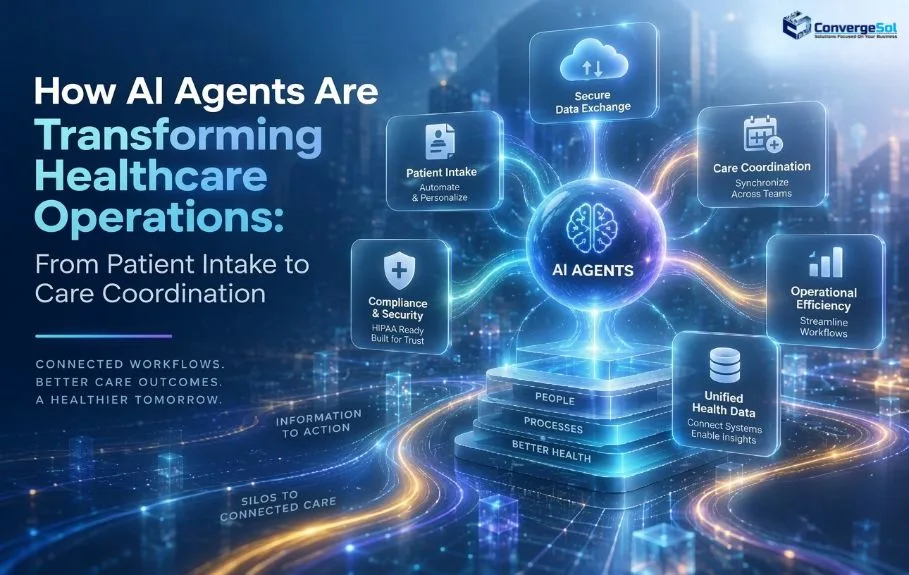
The hard lesson: before sending any PHI to an AI-powered service, verify the data flows, review the BAA, and confirm that the provider’s security controls match your own. For example, integrating AI-driven intake or triage workflows—like those described in this blog on AI agents in healthcare—requires a careful review of how PHI is handled at every step.
Even with strong technical controls, organizational resistance can slow adoption. Compliance teams may block promising AI features until every risk is documented and mitigated. The tension between innovation and regulation is real—and usually resolved through painstaking documentation and compromise.
Production Deployment: What Actually Works
By the time a healthcare app is ready for production, most teams have a long list of technical and compliance sign-offs. But the final mile is where surprises lurk. Common issues include missing documentation, incomplete audit trails, or overlooked backup retention policies.
A practical deployment checklist includes:
- Confirming all PHI is encrypted at rest and in transit
- Verifying RBAC and MFA for all admin and service accounts
- Reviewing logs for accidental PHI exposure
- Testing disaster recovery and backup restores
- Documenting all data flows and third-party integrations
- Scheduling regular risk assessments and penetration tests
The organizations that succeed are those that treat HIPAA compliance as a living process, not a checkbox. They invest in ongoing training, regular reviews, and open communication between engineering, compliance, and business stakeholders.
For more on cloud infrastructure best practices, see Cloud Solutions for healthcare.
Frequently Asked Questions
What is considered Protected Health Information (PHI) under HIPAA?
PHI includes any individually identifiable health information—such as names, medical records, billing details, and even email addresses—created, received, or transmitted by healthcare providers, insurers, or their business associates. Electronic PHI (ePHI) is simply PHI stored or transmitted electronically.
Do all cloud services support HIPAA compliance?
No. Only specific services designated as HIPAA-eligible by cloud providers (like AWS, Azure, or Google Cloud) are covered under their Business Associate Agreements. Using non-eligible services for PHI can result in compliance violations.
How should application logs be handled to avoid PHI exposure?
Application logs should be carefully reviewed to ensure no PHI is written—intentionally or accidentally. Use log redaction, avoid logging sensitive fields, and regularly audit logs for compliance. This is a common source of accidental breaches.
What are the key requirements for secure authentication in healthcare apps?
Secure authentication typically involves strong password policies, Multi-Factor Authentication (MFA), and protocols like OAuth 2.0 or OpenID Connect. Access should be restricted using RBAC and least-privilege principles.
How often should HIPAA compliance be reviewed?
HIPAA compliance is not a one-time event. Regular risk assessments, penetration tests, and policy reviews should be scheduled—at least annually, and whenever significant changes are made to the application or infrastructure.
Conclusion
Building HIPAA-compliant healthcare applications is less about mastering a checklist and more about navigating the messy, human realities of organizational life. The most successful teams I’ve observed are those who treat compliance as a shared responsibility—balancing technical rigor with practical constraints, and never assuming that “secure by default” means “secure enough.” The real work happens in the handoffs: between product and compliance, cloud and on-prem, speed and safety.
If you’re facing a decision about cloud architecture, data protection, or integrating AI into your healthcare application, it’s worth talking through your options with someone who’s seen the pitfalls up close. For a detailed conversation about your specific challenges, reach out to our healthcare application security experts.
Based in the US and evaluating a development partner? Book a 15-minute call to discuss HIPAA-compliant cloud solutions tailored to your needs.